

Parent-teacher conferencing, streamlined
Parents book their own appointments online, staff see a clean timetable for the night, and everyone arrives on time and prepared. Schoolea has handled over 3 million bookings for hundreds of schools since 2013.
How it works
Set up the event
Choose your dates, set how long each slot runs, and add the teachers involved. Your booking rules, how many slots a family can take, which days staff are working, and how long breaks run, are all configurable in the same setup.
Share a code with parents
Parents visit your event portal and enter a short event code. They see the available times, choose what suits them, optionally add notes for the teacher, and receive an instant confirmation.
Run the event
Teachers see their timetable on their phone, in print, or synced to their calendar. Automatic reminders reach parents before the day, and the bookings flow cleanly from your first session to your last.

Parents book their own times
Give parents a short event code and they can book appointments in a few clicks. They see the available times, pick what works for their family, and receive an instant confirmation without needing to call the office or email the homeroom teacher.
Parents can add notes about what they would like to discuss, so teachers know what is coming before the conversation begins. If plans change, parents reschedule or cancel themselves up to a cut-off time you set, and you do not have to lift a finger.
Everyone organised and on time
Your staff see every booking in a timetable that is ready to print, sync to their calendar, or pull up on their phone. Nobody wonders who they are meeting next, and specialist teachers can share booking slots through staff groups so a family meets the right team together rather than one person at a time.
Automatic email reminders reach parents before the event, and broadcast messages let you share last-minute changes with every attending family in seconds.

In-person, online, or both
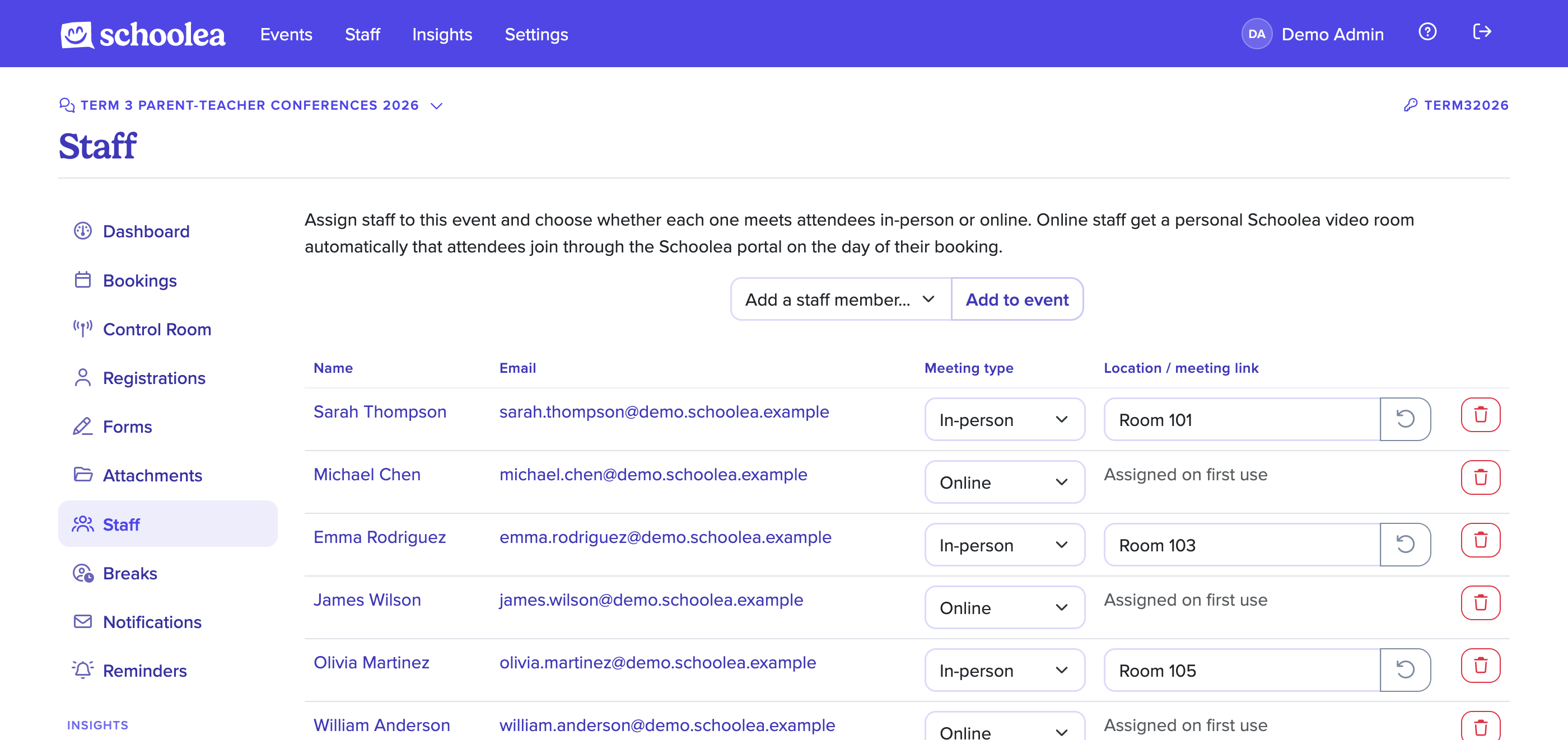
Every event and every booking can be marked in-person or online, so one night can comfortably mix a physical hall booking with a remote appointment for the family who could not make it in. Online bookings meet inside Schoolea with no third-party meeting links for families to track down.
Staff and families join straight from the booking confirmation, the timetable, or the reminder email. Video and audio are handled by Schoolea, so your team does not have to set up accounts anywhere else and your families have one place to go at the right time.
The first interview evening we ran on the new system was the first one in years where I was not still answering scheduling emails on the way home. A few teachers asked me afterwards what had changed.
Included with every Schoolea event
Email Reminders
Automatic confirmation and reminder emails go out to parents and staff the moment a booking is made, the day before the event, and on the morning of the event itself. The people who signed up actually show up, and they know exactly what to bring.
Fewer no-shows on the dayTimetables
Every staff member has a clear timetable that is ready to print, sync to their calendar, or pull up on their phone. Times, attendee names, notes, and meeting links are all on one screen, so nobody spends the night asking "who's next?".
Printable, syncable, mobile-readyCustomizable Forms
Custom registration, booking, and feedback forms collect exactly the information you need, whether that's dietary requirements, document uploads, or free-text reflections. Responses appear alongside the booking so staff never have to hunt for them.
Questions, uploads, and conditional logicStaff Access
Every staff member has their own login with access scoped to their role. Teachers see their own bookings. Event managers run the event. Finance managers see the billing. Admins run the whole account. Nobody sees more than they need to.
Roles, permissions, and audit logsReporting
Export attendance, booking lists, name tags, room signage, and event posters in one click. Every event has printable assets ready to hand to the team that is running it.
Name tags, posters, and attendance listsVideo Meetings
Online conferences run inside your event portal, so parents click their booking link and join a face-to-face meeting straight away without anything to download or any extra account to set up. Staff manage the conversation from the same timetable they use for in-person bookings, with the call window appearing alongside the schedule for the day.
No downloads, no third-party accountsStatistics
Live dashboards show booking pace, utilisation, no-show rates, and feedback responses. At the end of the year, every event rolls up into a single insights report that pulls attendance, feedback trends, and growth across the whole calendar into one place, ready to hand to the board, PTA, or leadership team. Decisions for next year's event are made from the data, not the gut feel.
Utilisation, pace, and feedback all in one view